Growie - AI Plant Identifier
- 3.5
- Rating
- 50.00K
- Installs
- Free
- Price

 Analysis by App-foxy
When I first opened Growie - AI Plant Identifier, I approached it as a quick helper rather than a complete replacement for a gardening book. That turned out to be the right expectation. This free education app from Nexara Studio is built around identifying plants from a scan and turning that recognition into practical care guidance. For someone who has inherited an unfamiliar houseplant, found a volunteer plant in the garden, or simply wants to stop guessing at watering, that is a useful starting point.
The important word is “starting.” Growie can make plant care feel less intimidating, especially for beginners, but an identification result should still be treated as guidance rather than an unquestionable diagnosis. Lighting, soil, pot size, season, and the plant’s recent history all affect what it needs. I found the app most helpful when I used it to form a sensible plan, then checked that plan against the actual condition of the plant.
What to expect from Growie
The experience is centered on a simple question: what plant am I looking at, and how should I care for it? Instead of searching through long lists of species, you use the camera or a plant photo as the first step. That makes the app approachable for people who do not know botanical terms and would not know where to begin with a normal web search.
You May Also Like

 Blood Strike: 2.5 Anniversary
Blood Strike’s Loadouts Turn Every Drop Into a Tactical Gamble
A close look at Blood Strike’s custom loadouts: how fast access to signature weapons reshapes its battle royale rhythm, rewards preparation, and narrows the gap between fights.

 Pandora - Music & Podcasts
Pandora’s Music Is Easy to Start, but Harder to Recover
Pandora’s strength is its low-effort path from a seed to a station. Its weak spot is how much confidence it asks you to place in connection, setup, and quiet recovery.

 8 Ball Pool
 Is Built on Rivalries, Rematches, and Routine
A close look at the rivalries, rematches, shared routines, and unanswered safety questions that turn a quick pool match into a persistent mobile community.

 Samsung Music
’s Quiet Strength Is Playing What You Already Own
Its reach comes less from spectacle than from dependable access to a personal library. That simplicity is both the app’s strongest retention engine and its ceiling.

 AccuWeather: Weather Radar
AccuWeather Review: A Quick, Clear Forecast for Everyday Decisions
For everyday plans, the best forecast is the one you can understand quickly. AccuWeather makes rain timing, radar, and local conditions easy to act on, with a few trade-offs.

 Hill Climb Racing
Why Hill Climb Racing Still Turns Crashes Into One More Run
A tiny car, a bumpy hill and one more upgrade: Hill Climb Racing keeps resurfacing because its simple chaos makes every near-miss feel personal.
More From Our News Desk



Growie is listed in the Education category, which fits its strongest use. I see it as a learning companion for everyday plant owners, not as a professional horticultural diagnostic system. The store summary presents it as an AI plant identifier with a smart garden care guide, and that combination matters. Identification alone is interesting for a few seconds; care advice is what gives the result a practical purpose.
The app is free to install and is rated for Everyone, so it is easy to consider for a family tablet, a classroom activity, or a child who is curious about plants. It has passed 50K installs, while its average rating sits at 3.5 from 91 ratings and 12 reviews. That is enough to show that people are trying it, but not enough for me to treat the rating as a final verdict. I would use the app for its workflow and judge the results on my own plants.
One thing I would keep in mind before starting is the presence of in-app purchases ranging from $6.99 to $29.99 per item. The basic entry point is free, but you should pay attention to any screen that presents additional tools or guidance as an upgrade. I prefer to explore the free experience first and decide whether the extra value is relevant to my routine.
The best first use cases
Growie makes the most sense when you have a clear, small problem. A new plant from a market may have lost its label. A friend may have given you a cutting with no care instructions. You may have several similar-looking plants and want to separate them before moving them to different parts of the home. In each case, the app can reduce the amount of initial searching.
It is also useful for building confidence. Beginners often water plants because the leaves look slightly tired, even when the soil is still damp. A care guide can encourage a more deliberate routine: identify the plant, inspect the soil, consider the light, and then decide what to do. That sequence is more valuable than blindly following a reminder.
I would not choose it as my only source for a plant that could be poisonous, a rare specimen, or one showing serious disease. In those situations, a local nursery, specialist reference, or qualified expert is a better second opinion. The app can help you describe what you have, but a camera-based result should not be the sole basis for a safety-sensitive decision.
Getting through the first setup
The first setup should feel less like configuring a complicated service and more like preparing a small identification workspace. Start with one plant that has reasonably clear leaves. Avoid making your first attempt with a crowded shelf, a dark corner, or a plant partly hidden behind decorative objects. A clean subject gives the recognition system a better chance and makes it easier for you to judge whether the result looks sensible.
If you are taking a new photo, place the plant where its main features are visible. Try to include the leaf shape, arrangement, and overall form rather than filling the frame with a single blurry patch. If you already have a useful photo, using that can be more convenient, particularly when the plant is outside or too large to move.
I recommend keeping the first test deliberately simple. Do not begin with a damaged leaf, a tiny cutting, or a plant covered in water droplets. Those details can distract from the features that matter for recognition. A healthy-looking leaf and a second view of the whole plant give you a more reliable basis for comparing the result with what you see in front of you.
The app runs on devices using Android 7.0 or later. That makes it accessible on many older Android phones, although the quality of the camera and the condition of the device will still affect how comfortable the process feels. The current version is 1.1.2, so I would keep the app updated when an update is available through the normal store process, especially if scanning behaves inconsistently.
How I would prepare a first scan
Choose one plant with visible leaves and a reasonably uncluttered background.
Use a well-lit view without harsh glare across the leaf surface.
Frame enough of the plant to show its structure, not only one unclear detail.
Read the suggested result carefully and compare it with the plant’s visible features.
Use the care guidance as a checklist, then adjust it to the real conditions in your room or garden.
This preparation may sound obvious, but it is one of the most useful habits with any image-based identifier. When a result seems strange, the first thing I change is the photo, not the plant. A second scan from a clearer angle can be more informative than repeatedly searching for a different answer.
Turning the first scan into a meaningful success
A successful first session is not merely seeing a plant name. For me, success means leaving the app with one practical action that makes sense. That might be moving a plant closer to a brighter window, checking whether the soil is dry before watering, or separating an unfamiliar plant from others until its identity is clearer.
Imagine bringing home an unlabeled leafy plant from a weekend market. I would place it on a table, take a clear image, and review the suggested identity. If the result points toward a familiar type of indoor plant, I would then look at the care guide and compare its recommendations with the plant’s current situation. Is it in a small pot? Is the soil compacted? Is it sitting in direct afternoon sun? Those questions turn a general guide into a useful decision.
The strongest workflow is to record the result mentally or in a simple note, then observe the plant for a few days instead of making several changes at once. If you move it, repot it, water it heavily, and add fertilizer on the same day, you will not know what helped or harmed it. Growie can suggest a direction, but good plant care still benefits from slow, controlled changes.
A less obvious benefit is that scanning can teach you what details to notice. After using an identifier a few times, I pay more attention to leaf edges, growth patterns, stem shape, and the difference between new and older leaves. Even when I already have a likely name, that visual practice helps me become less dependent on an app for obvious plants.
Using the guide without overwatering
Watering is where many new plant owners want a simple schedule, but fixed routines are often misleading. A guide may encourage regular care, yet the correct moment depends on the pot, soil, light, temperature, and season. I would never water solely because a notification or recommendation feels due. I would use the app’s advice alongside a physical check of the soil and the weight of the pot.
This is a useful trade-off: Growie can reduce uncertainty about the plant, but it cannot feel the moisture in your container. If the plant is in a decorative pot without drainage, or if several plants share similar conditions, your observation remains essential. The app is better at helping you ask the right questions than at replacing those checks.
For outdoor plants, I would be even more cautious. A plant identified in a garden may be affected by local weather, soil composition, pests, and neighboring plants. The care guide can be a starting reference, while local growing conditions decide whether the recommendation actually works.
Common confusion and how I would handle it
The first possible confusion is an uncertain or unexpected identification. Similar plants can look nearly identical in a single photograph, and cultivated varieties may differ from the examples people usually recognize. If the name does not match the visible features, scan again with a wider view and a closer view. If the answer remains doubtful, keep the result as a possibility rather than treating it as proven.
The second confusion is assuming that identification and plant-health diagnosis are the same thing. A plant can be correctly named while still having yellow leaves, pests, root problems, or stress from a recent move. The name helps you find appropriate care information, but it does not automatically explain every symptom. I would use Growie to narrow the field, then inspect the plant itself.
Another point that can surprise first-time users is that a care guide may sound more definite than real gardening conditions are. “Bright light,” for example, can mean very different things beside a south-facing window, under a shaded porch, or in a room with filtered daylight. I translate broad guidance into the actual space: where the sun reaches, how quickly the soil dries, and whether leaves are scorching or stretching.
There is also a practical privacy and comfort question whenever an app uses plant photos. I would avoid including personal documents, faces, house numbers, or identifiable private areas in the background. A plain wall, table, or garden corner is enough for a plant scan and keeps the image focused on the subject.
Finally, the purchase options deserve a calm approach. Because individual in-app items can cost from $6.99 up to $29.99, I would not unlock anything simply because the wording suggests urgency. First decide what you actually need: occasional identification, repeated care guidance, or a more complete gardening routine. If the free experience already answers your questions, there is no reason to pay just to make the app feel more complete.
Where usual alternatives are better
A normal web search is often better when you already know the plant name and need detailed information from specialist growers. Search results can lead you to regional advice, long-term cultivation notes, and discussions about unusual varieties. The downside is that searching by appearance is slower and more confusing when you do not know the right terms.
Printed field guides and botanical references remain stronger for learning identification carefully. They encourage comparison across several features instead of accepting one automated suggestion. Their weakness is convenience: they do not provide the quick scan that makes Growie appealing when you are standing in front of an unlabeled plant.
Community gardening groups can be better for difficult cases, especially when a plant has pests or disease. Experienced people may notice details that an image result misses, but community answers can also vary in quality. My preferred approach is to use Growie for the first hypothesis, then use a trusted human or specialist source when the decision involves treatment, toxicity, or an expensive plant.
That comparison explains the app’s real place. It is faster than a book, less intimidating than a broad search, and less personal than an experienced gardener. Its value is highest in the first five minutes of uncertainty, before you know what information to look for next.
The next step after identification
Once you have scanned a plant, I would not leave the result sitting unused. Choose one observation to make over the next few days. Check the soil before watering, watch whether new leaves are opening normally, or note how much light reaches the plant during the day. This turns the app from a one-time novelty into part of a simple learning loop.
A helpful habit is to scan plants when they are healthy, not only when something goes wrong. A clear reference image gives you a baseline. Later, if the leaves change color or the shape looks different, you can compare the current condition with what you remember from the first session. The app does not need to replace your own notes; it can provide the initial label that makes those notes easier to organize.
I would also use it selectively rather than scanning every plant repeatedly. Repeated identification has diminishing returns once you know the species. The better use is to spend that time learning the plant’s response to its location. If Growie helps you identify three plants, then those plants teach you how light and watering behave in your home, the app has already done something worthwhile.
For families and beginners, the educational angle is especially practical. A child can photograph a plant, compare the suggested identity with its appearance, and take responsibility for one small observation. I would still supervise any discussion about eating plants, touching unknown species, or using treatments. The Everyone rating makes the app approachable, but age suitability does not turn an automated result into a safety guarantee.
People who should probably skip Growie are those looking for a professional crop-management system, detailed disease treatment, or guaranteed botanical accuracy. It is also not the best fit if you dislike camera-based tools or prefer to learn identification through books and direct observation. Gardeners with a large collection may want a more specialized organizer if their main need is inventory, scheduling, or long-term records rather than recognition.
For a first-time plant owner, though, I think the app earns a place as a low-pressure first step. It helps turn “I have no idea what this is” into a more manageable process: take a clear photo, inspect the suggested identity, read the care direction, and verify it against the plant’s real environment. That is a sensible path, provided you keep your own judgment involved.
My overall impression is positive but measured. Nexara Studio has made an accessible education app for the moment when a plant’s name and care needs are unclear. The free entry point, Everyone rating, and support for Android 7.0 or later make it easy to try, while the 3.5 average suggests that results may not feel equally convincing to every user. I would recommend it to beginners, casual indoor gardeners, and anyone who wants a quick first answer before doing deeper research.
My practical recommendation is to treat Growie as a first conversation about your plant, not the final authority. Take a good photo, question results that do not fit, avoid automatic watering decisions, and use specialist help for serious or safety-related cases. Used that way, Growie - AI Plant Identifier can make the first step into plant care clearer without pretending that gardening can be reduced to a single scan.
FAQs for Growie - AI Plant Identifier
01What platforms is Growie - AI Plant Identifier available on?
Growie - AI Plant Identifier is available on both Android and iOS platforms. Users can download it from the Google Play Store for Android devices and the Apple App Store for iOS devices. This ensures compatibility with a wide range of smartphones and tablets, making plant identification accessible to most users.
02How accurate is the plant identification feature in Growie?
Growie uses advanced AI algorithms to identify plants with high accuracy. However, the identification accuracy can vary based on the quality of the image and the uniqueness of the plant species. For best results, ensure that the photos are clear and taken in good lighting conditions, focusing on unique plant features.
03Does Growie provide care tips for identified plants?
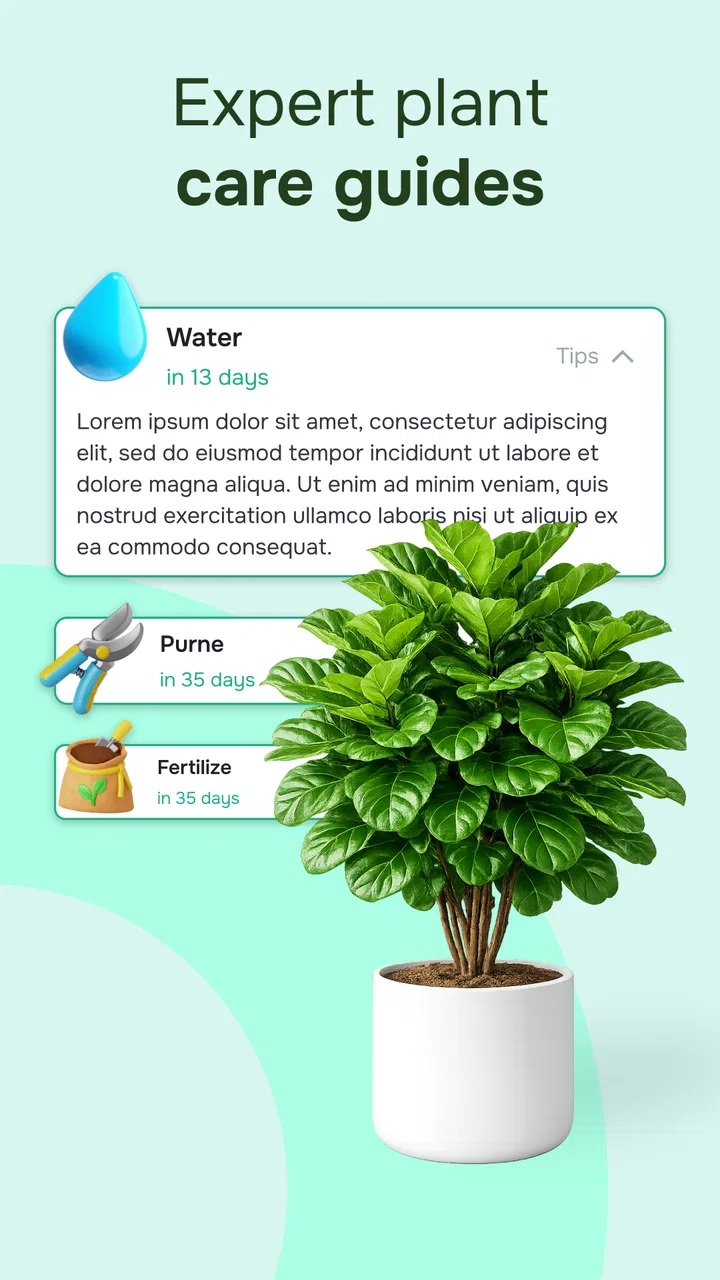
Yes, Growie not only identifies plants but also offers detailed care tips tailored to each species. Users can learn about watering needs, light requirements, and other essential care instructions. This feature is particularly beneficial for plant enthusiasts looking to maintain healthy plants and expand their knowledge.
04Is an internet connection required to use Growie - AI Plant Identifier?
An internet connection is required to access Growie's AI-powered plant identification feature, as it relies on cloud-based processing. However, once a plant is identified, users can save the information and access it offline, allowing for convenient reference at any time without needing to be connected.
05Are there any in-app purchases in Growie?
Growie offers a free version with basic features. For users looking for an enhanced experience, there are in-app purchases available. These may include premium features such as ad-free usage, access to a wider database of plants, and additional plant care resources, catering to both casual and serious plant lovers.
Pros
- Accurate plant identification
- User-friendly interface
- Extensive plant database
- Offline mode available
- Regular updates
Cons
- Limited free features
- Occasional misidentification
- Requires internet for some features
- Ads in free version
- No community forum

Growie - AI Plant Identifier
Gallery